 Yesterme
 BeforeAfter
01 / 07 Fitness
From your first workout
Place your phone where it can capture your full body. Match your pose to the previous photo, then compare with last month or export a video.
Yesterme use cases
Your workout progress, a child's artwork, today's lunch. Keep photos of what matters to you.
Collect photos by date and compare them with earlier records.
BeforeAfter
01 / 07 Fitness
Place your phone where it can capture your full body. Match your pose to the previous photo, then compare with last month or export a video.
 BeforeAfter
02 / 07 Face & skin
Start a face album and take photos at a similar time and in similar lighting. Note the products you used and how your skin felt.
 BeforeAfter
03 / 07 Growing up
Keep growth photos in a change album and outings in your journal. You can start with older photos from your library.
 BeforeAfter
04 / 07 Pets
Collect photos from adoption day onward. Your pet need not stand still. Write about walks and new habits in your journal.
 BeforeAfter
05 / 07 Food & everyday life
Save a good lunch, a view on your commute, or time with friends. Add a short note or decorate your photos with stickers.
 BeforeAfter
06 / 07 Home & plants
Photograph a room before moving furniture or a plant as new leaves appear. Use the same viewpoint to make changes easier to spot.
 BeforeAfter
07 / 07 Hobbies & projects
Record a painting, knitting project, or model as you work. Take a photo at the end of each session and turn the sequence into a video.
These are suggested workflows, not customer testimonials or evidence of measured results.
 BeforeAfter
01 / 06 Gyms & personal trainers
Members can keep body photos and training notes on their own devices, then choose comparison photos or videos to show their trainer.
Confirm separate permission before publishing a member's before-and-after photos.
 BeforeAfter
02 / 06 Kindergartens
Photograph drawings and craft projects by date. Compare work from the start and end of a term or make a short video of the process.
Check guardian permission and your institution's photography policy before including faces. Avoid sharing photos of other children.
 BeforeAfter
03 / 06 Elementary schools
Record plant growth, artwork, or stages of a group project. Review the attempts and revisions as well as the finished result.
Agree on accounts and storage with the school first. Yesterme does not provide student management or classroom sharing tools.
 BeforeAfter
04 / 06 Dermatology clinics
People can keep dated skin photos and notes on their own devices, then select relevant photos to show during an appointment.
Yesterme does not diagnose conditions, assess treatment efficacy, or replace medical records. Lighting and camera settings can change how skin looks.
 BeforeAfter
05 / 06 Cosmetics brands
Participants can record dates, products, and their own impressions alongside photos. They choose which records to export and share.
Yesterme does not manage panels or collect participant data automatically. Photos alone do not establish product efficacy. Confirm permission for advertising use.
 BeforeAfter
06 / 06 Interior design & renovation
Make an album for each space and photograph it from the same viewpoint. Compare before and after or export a video of the work.
Check photos for client details such as addresses, family photos, and personal belongings before sharing.
Yesterme is a personal recording app, not an enterprise management system. It does not offer an admin dashboard, staff co-editing, or client access controls. Decide on consent, device ownership, retention, deletion, and sharing before using it in an organization.
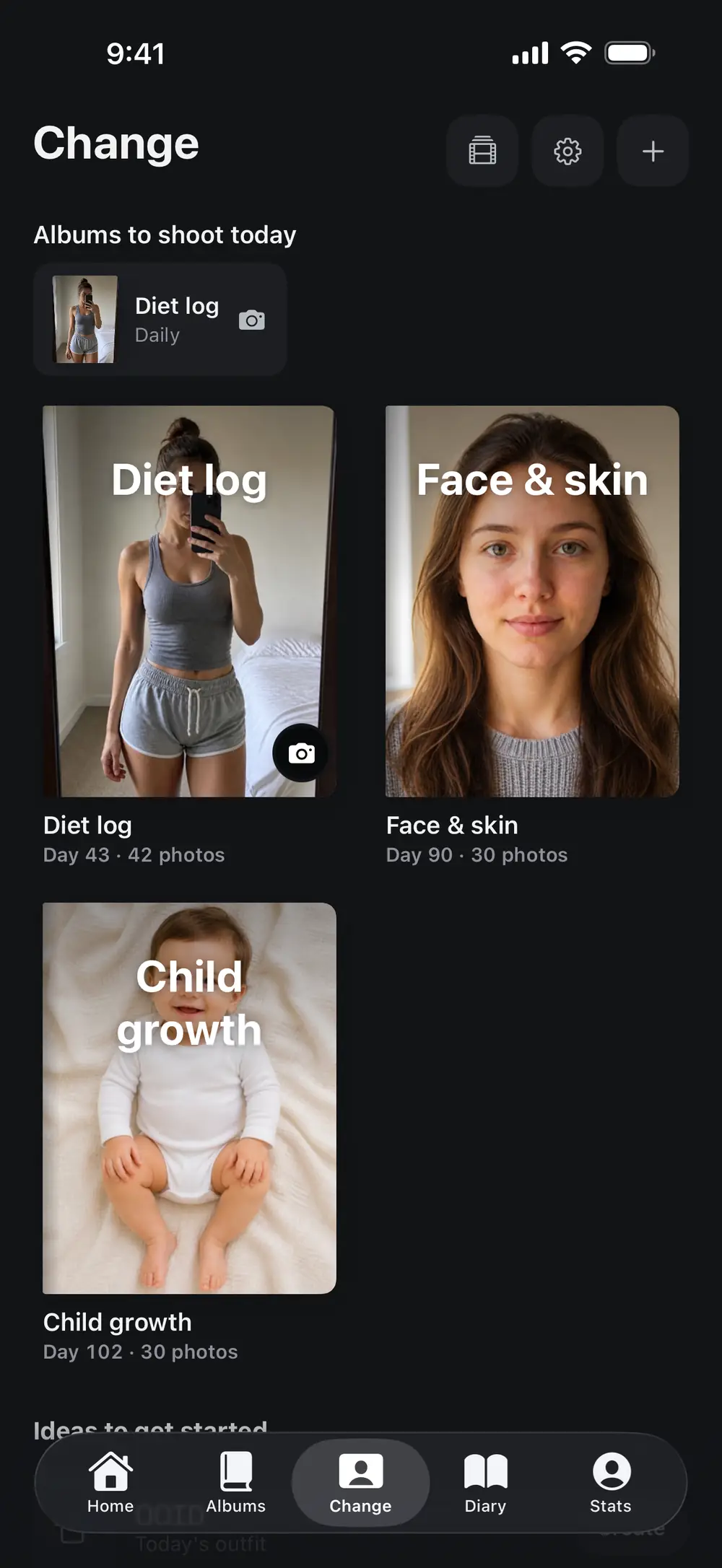
01
Create an album for the change you want to track and import older photos from your library. Use a photo journal for everyday moments.
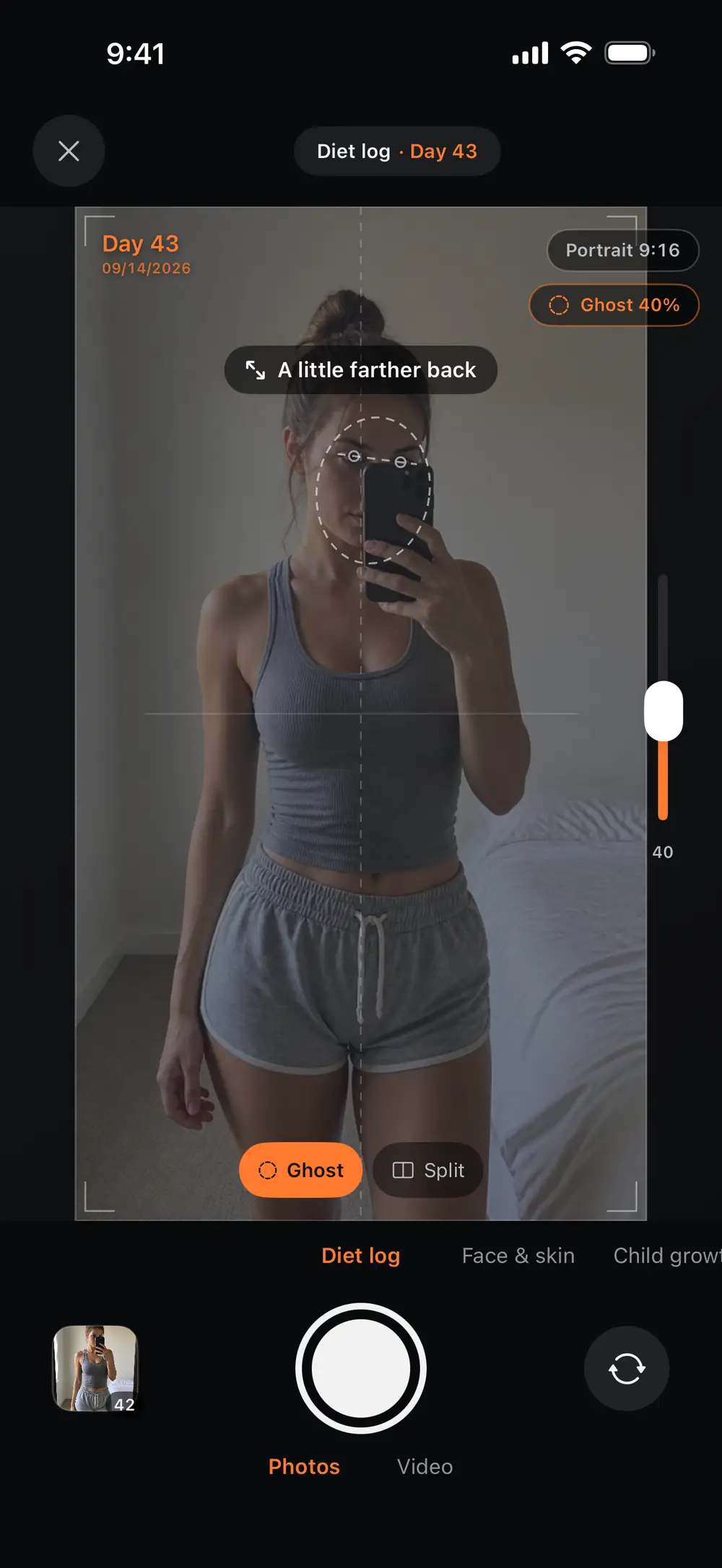
02
Open the camera from your change album to see the previous photo over the viewfinder. Match your pose with similar lighting and positioning.
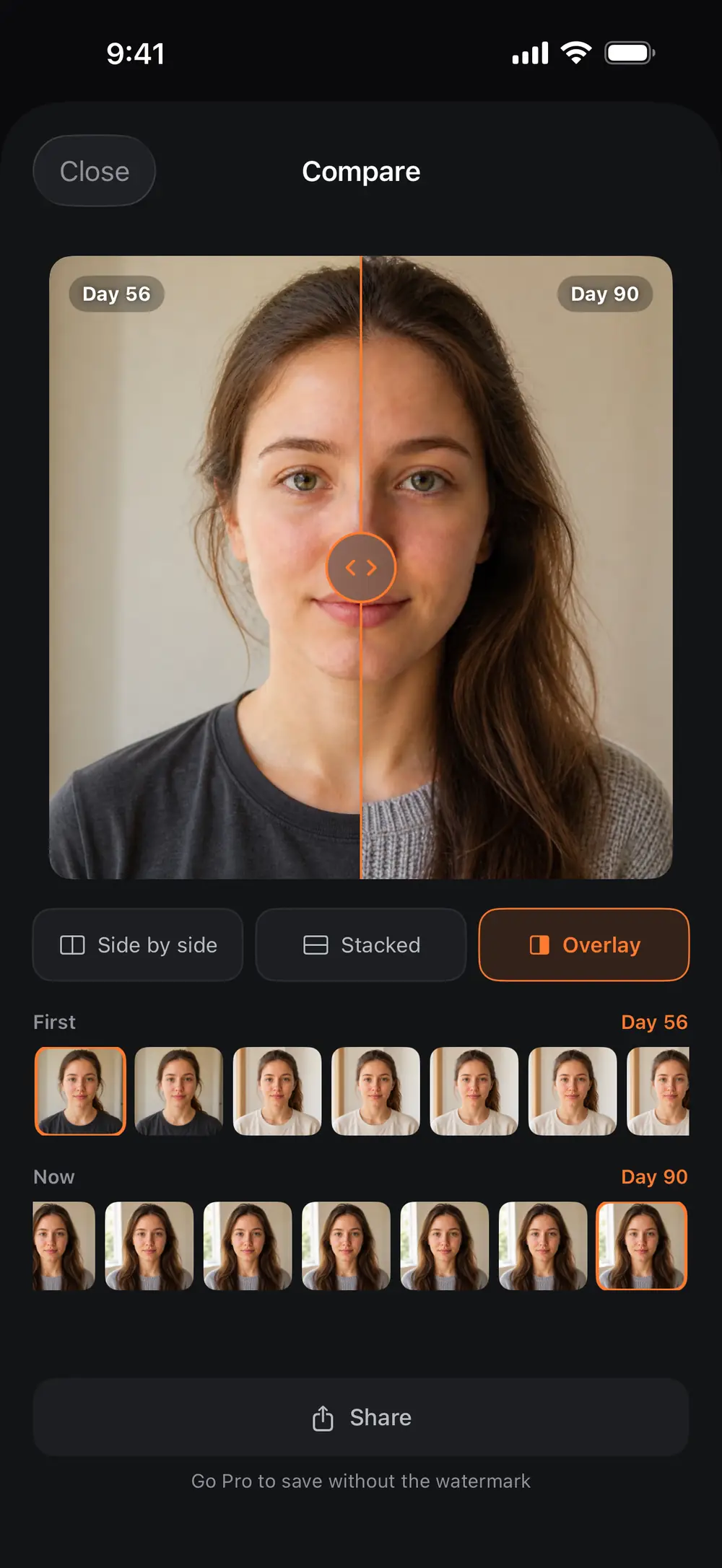
03
Choose photos from different dates to compare side by side, or export a timelapse from a sequence of photos in date order.
Tell us your field and what you want to record. You can also send app questions to the same address. Please leave out sensitive photos and personal information.
Contact by emailcontact@yesterstudio.com